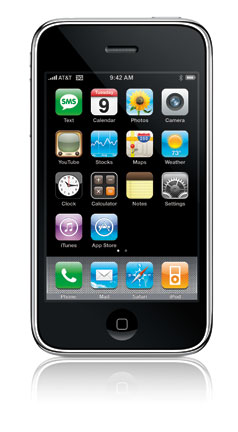
 There are times that you do not want to have a cellular connection but still want to use your device. The Airplane Mode on your iPhone is used to disconnect your phone from a cellular connection.
Loading...
Use Airplane Mode to turn your iPhone into an iPod
|
Entertainment Magazine: Apple: iPhone Tips Use Airplane Mode to prevent extra data cell charges
If you are on an airplane, or in an area with roaming charges, you can turn off your cell connection and avoid any data charges to your cellular account. Read about avoiding international roaming charges. Once your iPhone's Airplane Mode is disabled, you can use your iPhone/iPod to listen to music, watch videos, shoot photos and video, and use some apps that do not require a wireless network. The Airplane Mode is the only way the airlines will allow the use of an iPhone, IPad or other cellular device while flying. Some airlines now offer Wi-Fi connections for a fee. Read about using iPhone outside the US. FAA to allow use in Airplane Mode during take-off/landingUPDATE: Airlines will soon allow passengers to use their e-books, play games and watch videos on their devices during "all phases of flight," the FAA announced. That means your device can remain on, but still in Airplane Mode- to disable cell phone and web use until the plane is in flight. Each airline will set its own rules.
How to put your iPhone in Airplane ModeTo make sure your iPhone is not charged for on-air use by your carrier when you get a phone call, Voice Mail, push notifications or email, switch ON the Airplane Mode. This prevents your carrier from automatically checking apps and other activities that will initiate charges on your bill. To activate Airplane Mode:
To shut off AM, tap the ON and it will switch to OFF.More iPhone User Tips
Keep Airplane Mode on to avoid charges overseasThe best way to avoid all roaming charges and to use your iPhone as an iPod is to put your iPhone into "Airplane Mode" when you are outside the country. While using your iPhone outside the country you can also accidently activate automatic email checking or other wireless actions, such as stock or weather reports, YouTube or GoogleMaps if your iPhone is not on Airplane Mode. When you want to check messages, mail or surf the web, go to a Wi-Fi spot later for free. The standard AT&T plan in the U.S. does not cover phone call and data usage outside of a home country. This probably applies also if you live outside of the U.S. and you have a cell phone plan for your iPhone through a different carrier. Check your Terms and Usage Agreement for coverage before you travel. When you turn off the iPhone calls will go to voice mail. You are charged when you turn your iPhone on and it automatically check for . This happens when you turn your phone on and it registers on the roaming country network. Deactivate voice mail when travelling and only accept the calls you need. Without Airplane Mode any cell phone use, Internet or email use will cost extra outside your home country.The iPhone's Airplane Mode shuts off all cellular and wireless 3G, EDGE or Wi-Fi features on the iPhone. When the iPhone is Airplane Mode, it can be still be used as a digital playing device on airplanes, when allowed by aircraft laws. Airplane Mode also disables cellular calling features. All received calls will go to Voice Mail. Calls cannot be made while the iPhone is in Airplane Mode. Read more about using an iPhone while travelling overseas. Search iTune's App StoreLoading...
Use Airplane Mode to turn your iPhone into an iPod
If you want to just play music, watch downloaded videos or use apps that do not require a wireless connection, Airplane Mode disables any wireless activity. If you accidently open your email to read a stored message or tap an app that needs a GPS or wireless connection, it will be prevented from going online. In airplane mode, you can’t make phone calls, send text messages, surf the web or check for new email messages. If you want to avoid connecting to Wi-Fi networks as well, switch off that option too. To select an app that requires a wireless connection, a message will ask to "turn off Airplane Mode or use Wi-Fi to access data." If no wifi network is available, and you want to use the app anyway, you can still tap Wi-Fi to get your stored mail or open an app. You can still write messages and store them in the outbox until ready to send. In Airplane Mode, besides watching videos and listening to music stored on your iPhone, you can also still be able to take and view pictures, check your calendar and add events, hear alarms, use the stopwatch or time, use the calculator, take notes, use some apps, read text messages and email messages stored on the iPhone, according to Apple. When you need to make a call or use wireless features to get email, stock, weather or GPS locations, turn Airplane Mode to the ON position, do your business, then shut it off to keep from activating those features. Sources: AT&T and Apple (TM) Griffin Technology Inc., is today one of the world's foremost providers of personal computing and digital media accessories. Unique products such as iTrip, PowerMate, iFM, iMic and Evolve have inspired numerous accolades and frequent imitation. Shop Griffin Technology.com and Receive Free Basic Shipping on All Orders! iPhone TipsAvoid unexpected iPhone international roaming chargesFind out what to shut off for iPhone international use. How to prevent iPhone charges. Make sure you are not charged by AT&T when you get a phone call while on the road and do not want to accept it, or accidently activate automatic email checking, voice mail or other wireless actions, such as stock or weather reports, YouTube or GoogleMaps. Continue reading about avoiding international roaming and other charges. iPhone Travel international tipsSince international roaming charges can get very expensive quickly, AT&T advises customers to take several steps with their iPhone before making any calls. Read more about iPhone Travel tips and information on AT&T's iPhone International Calling and Data Plans. Use Airplane Mode to turn iPhone into iPodTo make sure your iPhone is not charged by AT&T when you get a phone call, Voice Mail or email while outside of the country, switch ON the Airplane Mode. Find out how to prevent accidental unwanted data and phone charges and still enjoy your iPhone while on an airplane. More Accessories for your iPhone:
MacMall.com
|